
Choosing the best RMM solution is one of the most critical decisions for managed service providers (MSPs) and IT teams managing multiple clients and distributed environments. With dozens of platforms on the market, it becomes difficult to distinguish between marketing promises and real operational value.
The wrong solution will increase manual work, limit your ability to automate routine tasks, and reduce visibility across endpoints, mobile devices, and network performance. The right one becomes the core of your operations, allowing you to resolve issues faster, ensure secure remote access, and deliver consistent service at scale.
Beyond features, the real challenge is understanding how a solution fits into your workflow, how it integrates with your existing stack, and how it supports security, performance, and growth.
If you want to explore how a complete RMM-driven environment can improve your operations, you can take a look at available solutions.
In this guide, you’ll learn how to evaluate RMM tools properly, what features actually matter, and how to choose the best solution based on your needs.
Key takeaways
Best RMM Software: real comparison
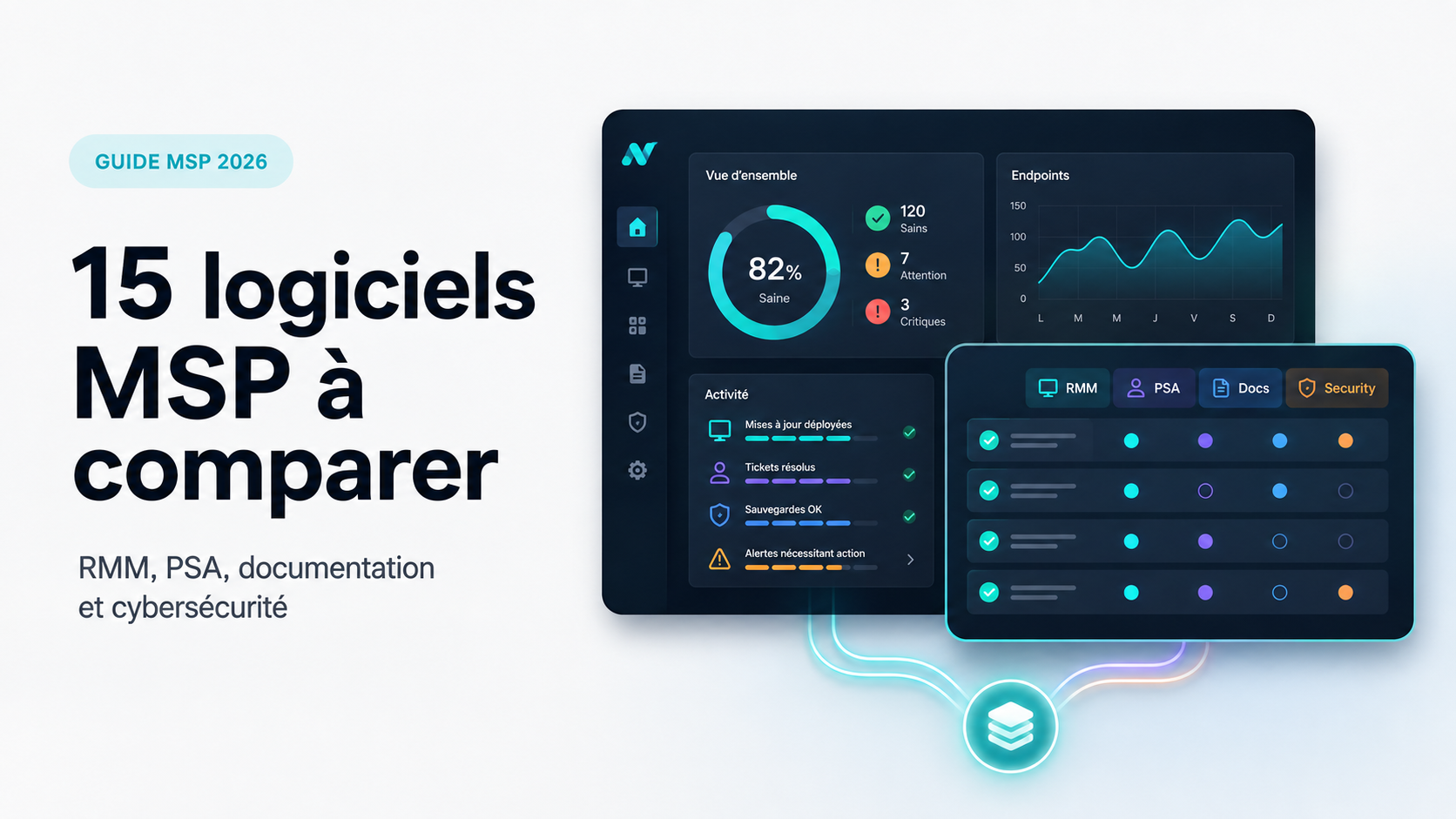
If you are looking for the best RMM software, here is a practical comparison of the most relevant tools based on real-world usage, not just feature lists.
Each of these tools addresses different needs, which is why understanding your operational model is more important than choosing based on popularity alone.
What is RMM Software and why it matters
Remote Monitoring and Management (RMM) software allows IT teams to monitor, manage, and maintain endpoints remotely. It acts as the operational backbone of modern IT environments by providing continuous visibility and control over distributed infrastructures.
It typically includes:
real-time monitoring of devices
Continuous tracking of system health, resource usage, and service availability, allowing teams to detect issues before they impact users.
remote access and troubleshooting
The ability to access endpoints instantly, diagnose problems, and resolve incidents without being physically on-site.
patch management
Centralized control over updates, ensuring systems remain secure and up to date without manual intervention. In practice, implementing an efficient patch strategy can significantly reduce risks and manual workload, as explained in this guide on how to simplify patch management with Datto RMM.
automation through scripts
Execution of scripts and automated workflows to handle repetitive tasks and standardize operations across multiple environments. In practice, automation is a key driver of efficiency and profitability, as explained in this guide on MSP automation and performance.
alerting and reporting
Real-time alerts combined with reporting capabilities to maintain visibility, track performance, and demonstrate service value.
At its core, an RMM platform enables you to manage multiple environments efficiently without being physically present. For growing IT operations, this is not optional — it is foundational to maintaining performance, consistency, and scalability.
Why choosing the wrong RMM will cost you
Most comparison articles focus on features. That’s not where the real problem is. The real risk lies in the operational impact a tool has on your day-to-day activities.
Choosing the wrong RMM can lead to:
increased manual workload
Without proper automation, teams are forced to handle repetitive tasks manually, which slows down operations and increases the risk of errors.
lack of visibility across endpoints
Limited monitoring capabilities make it difficult to detect issues early, leading to reactive rather than proactive management.
inconsistent service delivery
Without standardized processes, service quality can vary from one client or environment to another.
poor automation capabilities
Weak scripting and automation features prevent teams from scaling efficiently and optimizing workflows.
difficulty scaling operations
As the number of endpoints grows, limitations in the tool become more visible, creating bottlenecks and operational friction.
In many cases, teams end up working around their tool instead of being supported by it. This is where performance starts to degrade, complexity increases, and operational efficiency declines over time.
Operational impact of RMM on IT performance
The impact of an RMM solution goes far beyond basic monitoring. It directly affects how IT teams operate on a daily basis and how efficiently they can manage growing environments.
One of the most important benefits is the ability to automate routine tasks. By reducing repetitive manual work, teams can focus on higher-value activities such as optimization, security, and strategic improvements.
RMM platforms also improve incident response time. With real-time monitoring and remote control capabilities, IT teams can resolve issues faster and reduce downtime across multiple clients and environments.
Another key factor is consistency. Standardized processes ensure that all endpoints are managed in the same way, reducing errors and improving service quality.
Performance visibility is also significantly improved. Teams gain insights into system health, resource usage, and network performance, allowing them to anticipate problems instead of reacting to them.
Ultimately, the right solution transforms IT operations from reactive to proactive, improving both efficiency and service reliability.
Operational impact summary
Key features to look for in the best RMM Software
Not all RMM tools are built the same. Some are lightweight and easy to use, others are more powerful but complex. The key is to focus on features that directly impact performance, scalability, and day-to-day operations.
1. Real-time monitoring
The ability to monitor endpoints continuously is essential to maintain visibility and prevent incidents before they impact users.
This includes:
- CPU, RAM, and disk usage
- system health
- service availability
- network performance
A good solution should provide real-time alerts and allow teams to detect anomalies early. Without accurate monitoring, teams are forced into reactive management, which increases downtime and reduces service quality.
2. Automation capabilities
Automation is where RMM solutions deliver the most value. It allows teams to automate routine tasks, reduce manual workload, and standardize operations across multiple clients.
Look for:
- scripting capabilities (PowerShell, Bash)
- automated remediation
- scheduled tasks
- policy-based execution
Advanced solutions also include AI powered features that help detect issues and trigger automated responses. Strong automation improves consistency, reduces errors, and allows teams to scale without increasing workload.
3. Patch management
Keeping systems up to date is critical for both security and performance. A structured patch management strategy reduces vulnerabilities and ensures system stability.
A good solution should allow you to:
- deploy updates remotely
- schedule patching
- monitor update status
- manage third-party software updates
Effective patch management also ensures compliance and reduces the risk of security breaches, especially in environments with multiple endpoints and distributed users.
4. Remote access and remote control
Fast and reliable remote access is non-negotiable for IT teams managing distributed environments.
It should allow you to:
- troubleshoot quickly
- support users efficiently
- resolve issues without on-site intervention
- maintain secure remote access
Strong remote control capabilities improve response time, reduce downtime, and enhance customer support, especially when managing multiple clients or remote teams.
5. Reporting and visibility
You need clear insights into your infrastructure to make informed decisions and maintain service quality.
Reporting helps:
- track performance
- demonstrate value to clients
- identify recurring issues
- improve operational efficiency
Detailed reporting also supports decision-making by highlighting trends, bottlenecks, and areas for optimization. It is essential for both internal teams and managed service providers (MSPs).
Key features at a glance
Advanced capabilities to consider in an RMM solution
Beyond core features, modern solutions are evolving to include more advanced capabilities that directly impact performance, scalability, and efficiency.
AI powered features are increasingly used to detect anomalies, predict potential issues, and automate routine tasks. This allows teams to resolve issues faster and reduce manual intervention.
Endpoint management has also become more comprehensive, covering not only desktops and servers but also mobile devices and distributed environments. This improves visibility and control across all assets.
Software deployment capabilities are essential to manage applications at scale. Being able to deploy, update, and remove software remotely ensures consistency across multiple clients.
Security features are another critical component. These include access control, audit logs, patching strategies, and secure remote access to protect systems and data.
Finally, strong customer support and reliable vendor assistance can make a significant difference, especially during onboarding or when dealing with complex environments.
How to actually choose the best RMM Software
Most comparisons stop at listing tools. That’s not enough. The right choice depends on how you operate.
- If your priority is automation and scalability, tools like Datto RMM or Kaseya 365 are better suited
- If you need simplicity and fast deployment, NinjaOne or Atera are more relevant
- If you operate in a highly customized environment, ConnectWise Automate or Kaseya VSA offer more flexibility
The key is not to choose the “most popular” tool, but the one that aligns with your workflow.
Understanding pricing models and scalability
Pricing models vary significantly between solutions and can have a direct impact on long-term profitability.
Some platforms use per-endpoint pricing, while others offer flat-rate or usage-based pricing models. For managed service providers (MSPs), choosing the right pricing structure is essential to maintain margins while scaling operations.
As the number of endpoints and clients grows, pricing flexibility becomes a key factor. A solution that seems affordable at the beginning may become costly as your environment expands.
Scalability should also be evaluated alongside pricing. The ability to support multiple clients, large infrastructures, and increasing workloads without performance degradation is critical for long-term success.
Why Datto RMM stands out
Among these tools, Datto RMM stands out for its balance between power and usability. It is designed to support both day-to-day operations and long-term growth, without adding unnecessary complexity.
It offers:
strong automation capabilities
Datto RMM allows you to automate repetitive tasks, deploy scripts at scale, and standardize configurations across endpoints. This reduces manual work and improves operational consistency.
scalable architecture
The platform is built to support growing environments. Whether you are managing a few hundred or several thousand endpoints, it maintains performance and stability.
reliable performance
Stability is a key factor in daily operations. Datto RMM provides consistent performance, which helps reduce downtime and avoid disruptions in service delivery.
deep visibility into endpoints
The platform offers detailed insights into system health, resource usage, and potential issues, allowing teams to detect problems early and act before they escalate.
One of its key advantages is its ability to standardize operations while still allowing flexibility. Teams can implement consistent processes without losing the ability to adapt to specific client needs.
For organizations looking to scale without increasing operational complexity, this balance makes Datto RMM a particularly relevant choice.
RMM Is Not Enough: think in systems
One of the biggest mistakes is treating RMM as a standalone tool. In reality, it is only one part of a larger system, and its effectiveness depends on how well it integrates with the rest of your environment.
To operate efficiently, you need:
RMM for monitoring and automation
This is the operational core, allowing you to supervise endpoints, automate tasks, and maintain system performance.
PSA for workflow and ticketing
A PSA tool structures your operations by centralizing tickets, managing workflows, and ensuring proper service tracking. Choosing the right solution is essential to maintain efficiency and visibility, as highlighted in this comparison of ticketing software.
security tools for protection
Additional layers of security are required to protect endpoints, users, and data against evolving threats.
backup solutions for resilience
Backup and recovery solutions ensure business continuity in case of incidents, minimizing downtime and data loss.
The more integrated your tools are, the more efficient your operations become. A well-connected stack reduces manual work, improves visibility, and enables a more scalable service model.
How to choose the right RMM for your business
There is no universal “best” RMM. The right choice depends on your context, your operational maturity, and your growth objectives.
Consider:
your team size
Smaller teams may need simplicity and quick deployment, while larger teams often require more advanced features and automation.
number of endpoints
The volume of devices you manage directly impacts performance requirements and scalability needs.
type of clients
Different environments (SMBs, enterprises, regulated industries) require different levels of control, reporting, and security.
level of automation needed
The more you rely on automation, the more important scripting, policies, and workflow capabilities become.
integration requirements
Your RMM should connect seamlessly with your existing tools, especially PSA, security, and backup solutions.
Making the right choice means aligning the tool with how your business actually operates, not just selecting the most popular option on the market.
Simple framework to choose the right RMM
Choosing an RMM becomes much easier when you align your decision with your current level of maturity and operational needs.
This framework helps avoid over-engineering your setup too early or, on the contrary, choosing a tool that quickly becomes a limitation as your operations grow.
Common mistakes to avoid
Many IT teams make the same mistakes when choosing an RMM, often because they focus on short-term needs rather than long-term impact.
focusing only on price
Choosing the cheapest option may seem attractive, but it often leads to limitations in automation, scalability, and overall efficiency.
ignoring automation capabilities
Without strong automation, teams end up handling repetitive tasks manually, which increases workload and reduces consistency.
underestimating integration needs
An RMM that does not integrate well with your existing tools creates silos and forces additional manual work.
choosing based on popularity instead of fit
A widely used tool is not necessarily the right one for your specific environment or operational model.
These mistakes often lead to tool changes later on, which can be both costly and disruptive. Selecting the right solution from the start helps avoid unnecessary complexity and supports long-term growth.
Common challenges when implementing an RMM solution
Implementing an RMM solution is not always straightforward. Many organizations face challenges during deployment and adoption.
One of the most common issues is initial setup complexity. Some platforms require significant configuration before they can be fully operational.
Another challenge is team adoption. Without proper training and onboarding, teams may struggle to use the solution effectively.
Integration can also be a limiting factor. If the RMM does not seamlessly integrate with existing tools, it can create additional complexity and reduce efficiency.
Performance issues may arise if the platform is not properly configured or if it cannot handle the scale of the environment.
Finally, choosing the wrong pricing model can impact long-term profitability, especially for MSPs managing multiple clients.
Understanding these challenges helps organizations prepare better and ensure a smoother implementation.
Conclusion
Choosing the best RMM software is not about finding the tool with the most features. It is about selecting the one that aligns with your operational model and supports your growth.
A well-chosen RMM improves efficiency, reduces manual work, and enhances visibility across your infrastructure. A poor choice creates friction, limits scalability, and increases operational complexity.
In most cases, the right approach is not to look for the “best” tool in absolute terms, but the best fit for your specific needs.
If you want to structure your operations, improve performance, and build a scalable environment, the most effective next step is to evaluate your current setup and identify where improvements can be made. You can book your personalized demo.
FAQ
What is the best RMM software?
There is no single best RMM solution, as the right choice depends on your operational model, team size, and technical requirements. For managed service providers (MSPs) handling multiple clients, scalability and automation are critical. A strong solution should allow you to automate routine tasks, manage endpoints efficiently, and resolve issues quickly across distributed environments.
Some platforms focus on simplicity and fast deployment, while others offer deeper customization, advanced scripting, and stronger integration capabilities. The best approach is to evaluate how well the solution fits your workflows, how easily it can scale, and whether it supports your long-term growth.
What does RMM stand for?
RMM stands for Remote Monitoring and Management. It refers to solutions that allow IT teams to monitor, manage, and maintain endpoints remotely.
These platforms are designed to provide full visibility into infrastructure, including servers, workstations, and mobile devices. They enable IT teams to perform remote control, deploy updates, track performance, and resolve issues without being physically present.
RMM solutions are widely used by managed service providers (MSPs) and internal IT teams to manage multiple clients or environments from a centralized interface.
How much does RMM software cost?
Pricing models vary depending on the vendor, features, and scale of your environment. Most solutions use either per-endpoint pricing or subscription-based pricing models.
For MSPs managing multiple clients, pricing flexibility is essential. Some platforms offer tiered pricing based on the number of endpoints, while others provide flat-rate or usage-based models.
Beyond the initial cost, it is important to consider the total cost of ownership. This includes onboarding, training, integrations, and potential scalability limitations. A solution that appears affordable at first can become expensive as your infrastructure grows.
Understanding pricing models helps ensure that your solution remains cost-effective as your operations expand.
What features should an RMM include?
A complete RMM solution should cover several core capabilities to support daily operations and long-term performance.
Key features include endpoint management to maintain visibility and control across all devices, remote control for fast troubleshooting, and software deployment to ensure consistency across environments.
Automation is also essential. The ability to automate routine tasks reduces manual workload and improves efficiency. Advanced solutions increasingly include AI powered capabilities to detect anomalies and improve response times.
Security features such as access control, audit logs, and secure remote access are critical to protect systems and data. Finally, strong customer support from the vendor can significantly impact onboarding and long-term success.
Is RMM enough for IT management?
RMM is a foundational component of IT operations, but it is not sufficient on its own. To build an efficient and scalable environment, it must be combined with other tools.
PSA solutions are needed to manage tickets, workflows, and service delivery. Security tools provide additional protection against threats, while backup solutions ensure data resilience and recovery.
The ability to seamlessly integrate these systems is key. A well-connected stack improves efficiency, reduces manual work, and enables better visibility across all operations.
Which RMM is best for small teams?
For small teams, the priority is usually simplicity and fast deployment. Solutions that are easy to set up, intuitive to use, and require minimal configuration are often the best fit.
Platforms like NinjaOne or Atera are commonly preferred because they allow teams to quickly manage endpoints, perform remote control, and automate basic tasks without significant complexity.
However, it is important to consider future growth. A solution that works well for a small team today should also be able to scale as the number of endpoints and clients increases.
Can RMM improve security?
Yes, RMM solutions play a key role in improving security across IT environments.
By automating patch management, they ensure that systems remain up to date and protected against vulnerabilities. Continuous monitoring helps detect unusual behavior, while automation allows teams to respond quickly to incidents.
Security features such as access control, audit logs, and secure remote access provide additional layers of protection. Some solutions also include AI powered capabilities to identify threats and improve response times.
While RMM is not a complete security solution, it significantly strengthens the overall security posture when combined with dedicated security tools.
.png)