
25 Best PSA software in 2026 for MSPs and professional services teams
Choosing the best PSA software is not just about finding another project management tool. For MSPs and professional services teams, the right platform should connect service delivery, resource planning, time and expense tracking, financial management, reporting, and invoicing in one operational workflow.
The challenge is that PSA solutions vary a lot. Some are built for MSPs managing tickets, contracts, SLAs, billing, and remote monitoring and management. Others are better suited for consulting firms, agencies, SaaS onboarding teams, or larger professional services organizations that need advanced project management resource planning and revenue recognition.
In this guide, we compare the best professional services automation software for different use cases, from MSP operations and IT automation to quote-to-cash management, profitability tracking, AI-powered delivery, and resource optimization.
If your MSP is still managing tickets, contracts, billing, reporting, and client operations across disconnected tools, explore Autotask PSA with BeMSP to centralize your service workflows and build a more scalable PSA setup.
Key takeaways
The 12 best PSA Software in 2026 :
- Autotask PSA: Best for MSPs managing end-to-end service operations
- ConnectWise PSA: Best for mature MSPs with complex workflows
- HaloPSA: Best for customizable IT service management
- Scoro: Best for all-in-one work management automation
- BigTime: Best for tracking time, expenses, and profitability
- Accelo: Best for quote-to-cash service operations
- Productive: Best for agency and professional services profitability
- Kantata: Best for enterprise resource planning and service delivery
- Rocketlane: Best for AI-powered client onboarding and project delivery
- Atera: Best for IT automation and lightweight PSA/RMM needs
- SuperOps - Best for growing MSPs needing PSA and RMM
Syncro - Best for small MSPs needing an affordable all-in-one platform
Best PSA software comparison chart
Reviews of the 12 Best PSA Software Tools
1. Autotask PSA: Best for MSPs managing end-to-end service operations
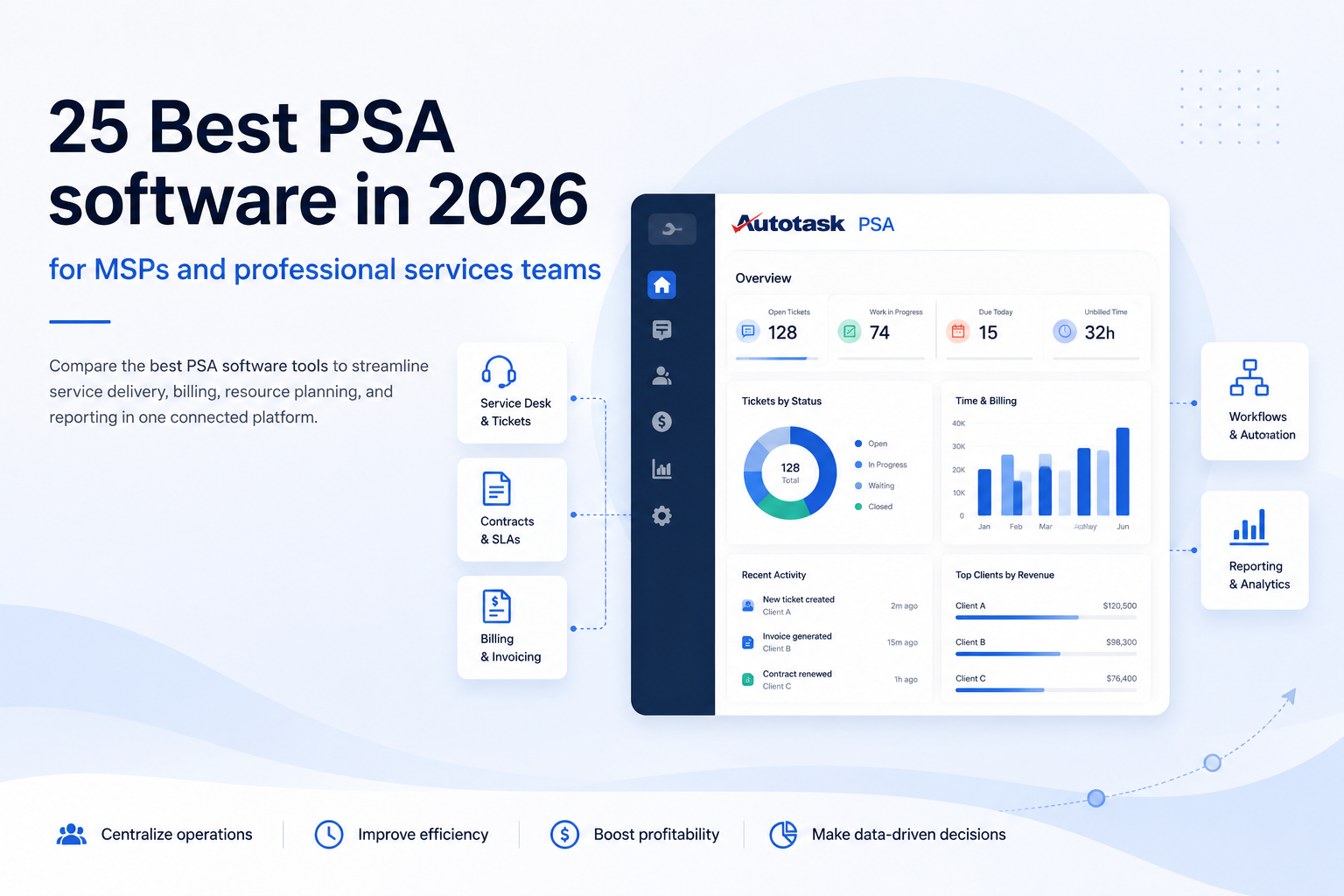
Autotask PSA is designed for MSPs and IT service providers that need to centralize service desk operations, contracts, billing, reporting, time tracking, and client workflows. It is especially relevant for teams that want their PSA software to become the operational backbone of the business, not just another management tool.
Autotask PSA helps connect service delivery with financial management, making it easier to track work, manage contracts, generate invoices, and make data driven decisions.
What we like: Strong MSP focus, mature service desk capabilities, contract management, billing workflows, reporting, and integrations with the broader Datto ecosystem.
What to watch: It requires a structured setup. Teams should map ticket categories, contracts, billing rules, workflows, and reporting needs before implementation.
Our BeMSP take: Autotask PSA is one of the strongest choices for MSPs that want to scale service operations without losing control. It is best suited to providers that are ready to structure their processes seriously.
2. ConnectWise PSA: Best for mature MSPs with complex workflows
ConnectWise PSA is a robust professional services automation platform for established MSPs that need advanced control over tickets, time tracking, billing, procurement, sales, and customer operations. It is particularly useful for teams managing complex service workflows across several departments.
The platform offers depth, but it works best when internal processes are already clearly defined.
What we like: Strong ecosystem, advanced workflow automation, detailed operational management, and good fit for mature MSPs.
What to watch: It can feel heavy for smaller teams and may require significant onboarding to get full value.
Our BeMSP take: ConnectWise PSA is a serious option for mature MSPs, but it is not the simplest path. It makes sense when complexity is already part of the business model.
3. HaloPSA: Best for customizable IT service management
HaloPSA is a flexible PSA solution for MSPs and IT service teams that need customizable workflows, strong ticketing, automation, and client service management. Its main advantage is adaptability.
Teams can configure processes around their own service model instead of forcing operations into rigid workflows. This makes it attractive for IT providers that want control over how tickets, approvals, escalations, and reporting are handled.
What we like: High flexibility, strong service desk orientation, customizable workflows, and good automation capabilities.
What to watch: Too much customization can create complexity if processes are not governed properly.
Our BeMSP take: HaloPSA is a good fit for MSPs that want flexibility and control. It is powerful, but it needs process discipline to avoid becoming messy.
4. Scoro: Best for all-in-one work management automation
Scoro is built for agencies, consultancies, and service businesses that want to manage CRM, projects, billing, time tracking, reporting, and financial visibility in one workspace. It is less MSP-specific than Autotask PSA or ConnectWise PSA, but it works well for teams that need integrated project management and business operations in one platform.
Scoro is especially relevant when sales, delivery, and finance need to be better connected.
What we like: All-in-one workspace, good financial visibility, CRM and project management combined, useful reporting features.
What to watch: It is not built primarily for ticket-heavy MSP operations or RMM-connected service delivery.
Our BeMSP take: Scoro is strong for agencies and consulting firms. For MSPs, it is useful only if the need is broader work management rather than deep service desk operations.
5. BigTime: Best for tracking time, expenses, and profitability
BigTime is a PSA platform for professional services firms that need accurate time and expense tracking, project profitability, utilization reporting, billing, and financial management. It is particularly relevant for consulting, engineering, IT services, and other billable project-based businesses.
BigTime helps teams understand where time is spent, which work is profitable, and where revenue may be leaking.
What we like: Strong time tracking, expense management, billing workflows, utilization reporting, and project profitability insights.
What to watch: It is less focused on MSP service desk operations, ticketing, and remote monitoring and management workflows.
Our BeMSP take: BigTime is excellent when profitability depends on accurate time capture. For MSPs, it is more relevant for project-heavy service work than recurring support operations.
6. Rocketlane: Best for AI-powered project delivery
Rocketlane is designed for client onboarding, implementation, and project delivery teams that need better collaboration, delivery visibility, and repeatable workflows. It is particularly useful for SaaS companies and implementation teams that manage structured onboarding projects.
Rocketlane focuses less on classic PSA operations and more on improving client-facing delivery through templates, collaboration, automation, and AI-assisted workflows.
What we like: Strong onboarding workflows, client collaboration, project templates, delivery visibility, and modern AI-assisted features.
What to watch: It is not the best fit for MSPs that need ticketing, contracts, billing, and RMM-connected operations.
Our BeMSP take: Rocketlane is a strong tool for onboarding and implementation teams. For MSPs, it should not be confused with a full service operations PSA.
7. Accelo: Best for quote-to-cash service operations
Accelo helps service businesses connect sales, quotes, project delivery, retainers, time tracking, billing, and reporting. Its strength is the continuity between commercial activity and service execution.
Instead of managing sales in one tool, delivery in another, and invoices somewhere else, Accelo creates a more connected quote-to-cash workflow.
What we like: Good coverage from sales to billing, strong retainer management, useful automation, and clear service lifecycle logic.
What to watch: It is less specialized for MSPs that need deep service desk, ticketing, and RMM alignment.
Our BeMSP take: Accelo is relevant for service firms that sell and deliver project-based or retainer work. For MSPs, it is better suited to commercial workflow management than technical operations.
8. Productive: Best for agency and professional services profitability
Productive is built for agencies and professional services firms that need visibility over budgets, resources, projects, sales, forecasting, and profitability. It helps teams connect delivery work with financial performance, which is essential for service businesses where margins can quickly disappear.
Productive is especially useful when the priority is understanding workload, capacity, revenue, and project health.
What we like: Strong budget tracking, forecasting, resource planning, utilization visibility, and profitability reporting.
What to watch: It is not primarily designed around MSP ticketing, contracts, SLAs, or service desk workflows.
Our BeMSP take: Productive is a solid choice for agencies and consulting teams. MSPs should consider it only if their main challenge is profitability tracking rather than service operations.
9. Kantata: Best for enterprise resource planning and service delivery
Kantata is a PSA solution for larger professional services organizations with complex resource planning, forecasting, financial management, and delivery needs. It is designed for companies that need to optimize resource allocation across teams, skills, availability, demand, and revenue targets.
Kantata is powerful when staffing decisions directly affect profitability and client delivery.
What we like: Advanced resource planning, capacity management, forecasting, utilization tracking, and financial visibility.
What to watch: It can be too complex for small teams or MSPs looking for lightweight service desk operations.
Our BeMSP take: Kantata is best for larger, resource-heavy service organizations. It is overdimensioned for most small MSPs, but strong for enterprise professional services teams.
10. Atera: Best for IT automation and lightweight PSA/RMM needs
Atera combines remote monitoring and management, ticketing, IT automation, patch management, and PSA-related capabilities in one platform. It is attractive for small MSPs and IT teams that want fewer tools and faster adoption.
Atera is not the deepest PSA solution, but it can be practical for teams that need IT operations, alerts, tickets, and basic billing workflows in one place.
What we like: RMM capabilities, ticketing, IT automation, endpoint visibility, and easier adoption for small teams.
What to watch: It may lack depth for complex financial management, advanced resource planning, and mature MSP operations.
Our BeMSP take: Atera is a practical entry point for small MSPs. It is useful when simplicity matters more than advanced PSA depth.
11. SuperOps: Best for growing MSPs needing PSA and RMM
SuperOps is a modern PSA and RMM platform built for MSPs that want to manage IT operations, tickets, automation, assets, and client work from one system. It is especially relevant for growing providers that want a cleaner interface and less tool fragmentation.
SuperOps is positioned as a lighter, more modern alternative to older MSP platforms.
What we like: PSA and RMM in one platform, modern user experience, automation features, and good fit for growing MSPs.
What to watch: It may not offer the same depth as more established PSA platforms for complex enterprise workflows.
Our BeMSP take: SuperOps is interesting for MSPs that want speed, simplicity, and automation. It is a strong challenger, but not always the best fit for advanced operational structures.
12. Syncro: Best for small MSPs needing an affordable all-in-one platform
Syncro is designed for small MSPs that need RMM, ticketing, billing, automation, and PSA basics without enterprise-level complexity. It is a practical option for lean teams that want to manage core service operations from one tool.
Syncro works best when the goal is to simplify operations rather than build a highly customized PSA environment.
What we like: All-in-one MSP platform, RMM and PSA basics, ticketing, billing, automation, and accessible setup.
What to watch: It may be limited for MSPs with advanced reporting, complex contracts, or sophisticated resource planning needs.
Our BeMSP take: Syncro is a good fit for small MSPs that need affordability and simplicity. Growing teams may eventually need a more robust PSA setup.
Other PSA software worth considering
The PSA software market is broad, and the best shortlist depends on your service model, team size, billing structure, and operational maturity. The tools below did not make our top 12, but they may still be relevant depending on whether you need deeper project coordination, financial management, resource planning, client collaboration, or IT service operations.
- Wrike is worth considering for service teams that need project workflows, approvals, client collaboration, dashboards, and visibility across delivery work.
- Polaris PSA by Replicon can be relevant for organizations that need AI-driven resource optimization, time tracking, project costing, and workforce visibility.
- Hello Bonsai is a lightweight option for freelancers and small service businesses that need proposals, contracts, client management, projects, invoices, and payments.
- Projectworks is designed for professional services firms that want to connect resource planning, project delivery, financial data, and business performance.
- VOGSY can suit global service organizations that need to manage international projects, resources, billing, and professional services operations.
- Monday.com is not a pure PSA platform, but it can support customizable project workflows, automations, client tracking, and team collaboration.
- Teamwork is useful for agencies and client-facing service teams that need project delivery, time tracking, collaboration, and client visibility.
- Certinia PSA is a strong option for Salesforce-based professional services organizations that want PSA workflows connected to CRM and financial operations.
- NetSuite OpenAir is better suited to enterprise service organizations that need resource planning, project accounting, time tracking, and services automation at scale.
- BQE Core is often relevant for architecture, engineering, consulting, and professional services firms that need time tracking, billing, accounting, and project management.
- Deltek Vantagepoint is a specialist option for architecture, engineering, and consulting firms that need CRM, project accounting, resource planning, and reporting.
- Tigerpaw One is built for technology providers that need service management, inventory, quoting, billing, and business automation.
- Promys PSA is designed for IT solution providers that need CRM, help desk, project management, procurement, inventory, contracts, and billing in one platform.
Some of these platforms are closer to project management software, while others are closer to full professional services automation PSA solutions. Before adding them to your shortlist, clarify whether you need a true PSA platform or simply better project coordination.
For MSPs, the priority should remain clear: service desk, contracts, billing, reporting, client visibility, ticket workflows, and remote monitoring and management alignment.
How to choose the best PSA software ?
Start with your service model. MSPs, consultancies, agencies, engineering firms, and SaaS onboarding teams do not operate the same way. A good PSA for one business can be a poor fit for another.
If you are an MSP, prioritize service desk workflows, recurring contracts, SLA visibility, ticketing, billing automation, integrations with RMM tools, and dashboards that show operational health. Your PSA should help technicians work faster, managers spot bottlenecks, and finance teams generate invoices more accurately.
If you are a consulting firm, prioritize time and expense tracking, utilization, resource planning, project profitability, revenue recognition, and financial management. Your main risk is usually not ticket volume. It is margin leakage, poor forecasting, and underused capacity.
If you are an agency, look for integrated project management, budget tracking, client collaboration, resource allocation, and profitability reporting. You need to know whether projects are on track creatively, operationally, and financially.
If you are scaling fast, focus on integrations, automation, reporting, and implementation support. A PSA platform should reduce admin work, not create another layer of complexity.
The best PSA software is not the platform with the longest feature list. It is the one that fits your billing model, service delivery process, team structure, and reporting needs.
What is professional services automation software?
Professional services automation software, often shortened to PSA software, helps service-based businesses manage client delivery, projects, resources, time tracking, expenses, billing, reporting, and financial workflows in one system.
Instead of managing projects in one tool, tracking hours in another, storing client information elsewhere, and generating invoices manually, PSA solutions connect operational and financial data. This helps teams reduce manual work, improve visibility, optimize resource allocation, and make better business decisions.
For MSPs, PSA software often goes further than traditional project management tools. It can include service desk management, ticketing, contracts, SLAs, recurring billing, client records, integrations, and links with remote monitoring and management platforms.
In short, PSA software helps professional services teams turn service delivery into a controlled, measurable, and billable process.
Key PSA software features to look for
Integrated project management
A PSA platform should help teams plan, assign, track, and deliver work. This includes milestones, tasks, dependencies, deadlines, ownership, and project status. Unlike basic project management tools, PSA software should also connect project delivery with budgets, time entries, resources, and billing.
Resource planning
Resource planning helps you understand who is available, who is overloaded, and which skills are needed for upcoming work. Strong PSA software should help optimize resource allocation across projects, clients, tickets, and service commitments.
Time and expense tracking
Accurate time and expense tracking is essential for profitability. If billable work is not captured correctly, invoices are wrong and revenue leaks. PSA software should make it easy to log time, approve expenses, link work to clients, and transfer billable data into invoicing workflows.
Financial management
Financial management is one of the main reasons to choose PSA software over generic management tools. Look for budgeting, billing rules, margin reporting, revenue recognition, project profitability, and forecasting.
Reporting and data driven decisions
Good PSA software should provide dashboards that help leaders understand utilization, margins, project status, ticket volume, client profitability, and service performance. The goal is not more reports. The goal is faster, better decisions.
Customizable workflows
Every service business has repeatable processes. PSA software should help automate approvals, ticket routing, recurring tasks, escalations, billing steps, and client communication. Customizable workflows are especially important for MSPs with complex service operations.
RMM and MSP ecosystem integrations
For MSPs, PSA software should not be evaluated in isolation. The real value comes when service desk, contracts, billing, documentation, endpoint monitoring, and remote support work together. A strong PSA and RMM stack can help teams detect issues, assign tickets, track work, and invoice services with less manual effort.
PSA software vs project management software
Project management software helps teams plan tasks, organize deadlines, collaborate, and track execution. It is useful for managing projects, but it usually does not cover the full business lifecycle of a service company.
PSA software connects delivery with operations and finance. It brings together project management, resource planning, time and expense tracking, billing, invoicing, reporting, and financial management. For MSPs, it can also include service desk, ticketing, contracts, SLAs, and RMM-related workflows.
A project management tool can help you deliver work. A PSA platform helps you deliver work profitably, bill it accurately, and understand how it affects your business operations.
If your only problem is task visibility, a project management tool may be enough. If your problem is missed billable hours, unclear margins, delayed invoices, poor resource planning, or disconnected service workflows, you probably need PSA software.
PSA software trends in 2026
The PSA market is moving toward more automation, better forecasting, and deeper operational visibility. AI is becoming more visible in project delivery, resource planning, ticket handling, reporting, and workflow recommendations.
For MSPs, PSA and RMM alignment is becoming more important. Teams want fewer disconnected tools and more connected workflows across alerts, tickets, contracts, billing, documentation, and reporting.
Professional services teams are also asking for stronger profitability insights. It is no longer enough to know whether a project is complete. Leaders need to know whether it is profitable, whether capacity is used well, whether invoices are accurate, and whether resources are assigned to the right work.
The most useful PSA solutions in 2026 are the ones that help teams move from manual administration to automated, visible, and financially controlled service delivery.
Conclusion
The best PSA software is the one that fits how your service business actually works.
For MSPs and IT service providers, Autotask PSA is one of the strongest options because it is built around service desk operations, contracts, billing, reporting, workflows, and MSP business management. ConnectWise PSA and HaloPSA are also serious alternatives for teams that need advanced workflows or higher configurability.
For consulting firms, agencies, and broader professional services teams, Scoro, BigTime, Accelo, Productive, Kantata, and Rocketlane may be better fits depending on whether the priority is profitability, resource planning, quote-to-cash management, time tracking, or client onboarding.
Before choosing, map your current gaps: disconnected tools, missed billable hours, manual invoicing, weak reporting, poor resource visibility, or unclear margins. Then choose the PSA platform that solves the most expensive problem first.
Need help choosing or implementing the right PSA platform? Book a consultation with BeMSP to audit your current workflows, clarify your priorities, and build a PSA setup that supports profitable service delivery.
FAQ
What is the best PSA software?
The best PSA software depends on your business model. For MSPs, Autotask PSA, ConnectWise PSA, HaloPSA, and Atera are strong options because they support IT service operations, ticketing, contracts, billing, and RMM-related workflows. For broader professional services firms, Scoro, BigTime, Accelo, Productive, Kantata, and Rocketlane may be better fits depending on project delivery, resource planning, and financial management needs.
What are examples of PSA software?
Examples of PSA software include Autotask PSA, ConnectWise PSA, HaloPSA, Scoro, BigTime, Accelo, Productive, Kantata, Rocketlane, and Atera. Each platform has a different focus. Some are built for MSPs, while others are better suited for agencies, consultancies, SaaS onboarding teams, or enterprise professional services organizations.
What is better than PSA?
Nothing is automatically better than PSA software. It depends on the problem you need to solve. A CRM is better for sales pipeline management. An RMM platform is better for remote monitoring and management. An ERP is better for enterprise-wide finance and operations. Project management software is better for simple task coordination. PSA software is the better choice when you need to connect service delivery, resource planning, time tracking, billing, reporting, and financial performance.
What are the top 5 project management software?
Popular project management software includes Asana, Monday.com, Wrike, ClickUp, and Smartsheet. These tools can help teams manage tasks, timelines, collaboration, and project visibility. However, they are not always full PSA solutions. A true PSA platform should also support time and expense tracking, resource planning, billing, financial management, reporting, and, for MSPs, service operations.
What is the top 3 RPA software?
RPA software is different from PSA software. RPA stands for robotic process automation and is used to automate repetitive business processes. Common RPA platforms include UiPath, Automation Anywhere, and Microsoft Power Automate. PSA software has a different purpose: it helps service businesses manage projects, resources, time, billing, reporting, and service delivery.
Will Tosca replace Selenium?
Tosca and Selenium are test automation tools, not PSA software. Tosca is often used for enterprise test automation, while Selenium is widely used for browser automation and web application testing. Tosca may replace Selenium in some enterprise testing environments, but this question is not related to PSA software, MSP operations, or professional services automation.